

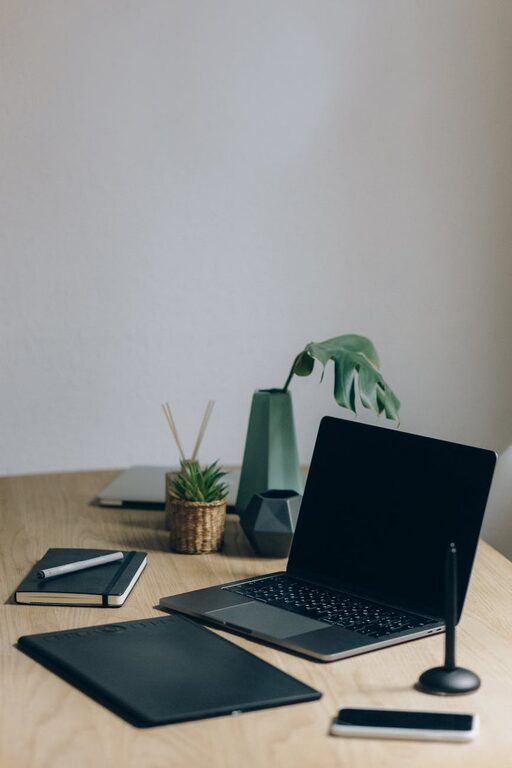
Creating a clutter-free home office is essential for maintaining productivity and comfort while working from home. A well-organized workspace helps reduce distractions, improves focus, and creates a more inviting environment. Whether you’re setting up a new office or looking to tidy an existing one, these tips will guide you in designing a clutter-free home office space.
1. Choose the Right Location
The foundation of an organized office starts with selecting the right spot. Ideally, pick a quiet area with sufficient natural light. A well-lit space boosts mood and energy, while a peaceful location reduces interruptions. Consider corners, small spare rooms, or a section of your living area that can be dedicated exclusively to work.
2. Invest in Functional Furniture
Having the right furniture can make organizing easier.
– Desk with Storage: Desks with built-in drawers or shelves provide handy spaces for small items, keeping your tabletop clear.
– Comfortable Chair: Ergonomic chairs promote good posture and reduce fatigue.
– Shelving Units: Vertical shelves maximize storage without taking up floor space.
– Filing Cabinets: Store important documents neatly, preventing paper piles.
3. Declutter Regularly
Decluttering is an ongoing process.
– Daily Reset: Spend 5-10 minutes at the end of each workday clearing your desk.
– Weekly Review: Sort through papers, discard unnecessary items, and organize supplies.
– Digitize Documents: Scan important papers to reduce physical clutter and improve accessibility.
4. Use Effective Storage Solutions
Storage is key to balancing accessibility with tidiness.
– Desk Organizers: Use trays, pen holders, and compartments to keep small items in order.
– Cable Management: Employ clips, sleeves, or boxes to hide and arrange wires.
– Label Everything: Clearly labeled boxes and folders make it easier to find things quickly.
– Storage Baskets: Use baskets or bins for frequently used items or larger supplies.
5. Create Zones for Different Tasks
Designate specific areas for tasks to keep things organized.
– Work Zone: Your desk and computer area.
– Supply Zone: Shelves or drawers with office supplies.
– Reference Zone: Place books, binders, or manuals within easy reach.
– Inspiration Zone: Add a bulletin board or whiteboard for notes and ideas.
6. Minimize Distractions
A clutter-free space means fewer distractions.
– Clear Surfaces: Keep your desk surface mostly clear, only essential items should stay.
– Manage Digital Clutter: Organize your computer desktop and files into folders.
– Noise Control: Use noise-cancelling headphones or soft background music if needed.
7. Personalize Thoughtfully
A comfortable space can enhance productivity, but personalization should not cause clutter.
– Limit Decorations: Choose a few meaningful items like a plant or photo frame.
– Keep Plants Small: Plants clean the air and add life without taking up much space.
– Use Functional Decor: Items that are both decorative and practical, like attractive storage boxes, work well.
8. Establish a Routine
Good habits keep your office organized in the long run.
– Start Fresh Each Day: Begin work with a tidy desk to improve mindset.
– Tidy as You Go: Put things back immediately after use.
– Schedule Deep Cleaning: Set aside time monthly to do a thorough clean and reorganization.
9. Optimize Lighting and Airflow
Good lighting and air circulation help maintain a pleasant workspace.
– Natural Light: Position your desk near a window if possible.
– Task Lighting: Use adjustable lamps for focused lighting.
– Ventilation: Keep windows open or use a fan to maintain fresh air.
10. Use Technology Wisely
Technology can support a clutter-free space.
– Wireless Devices: Reduce cable clutter with wireless keyboards, mice, and printers.
– Cloud Storage: Store files online to minimize paper piles and physical drives.
– Productivity Apps: Use apps to manage tasks and notes digitally.
—
By implementing these tips, you can create a home office that feels spacious, organized, and ready for productivity. Remember, maintaining a clutter-free space is an ongoing process that combines smart design with daily habits. A tidy office not only enhances work efficiency but also contributes to your overall well-being.