

Working from home has become a common part of many people’s daily routines. Whether you’re a full-time remote worker or someone who occasionally takes their job home, having a well-designed home office can make a significant difference in your productivity and overall work experience. Here are some helpful tips to create a productive home office space that supports your focus and comfort.
Choose the Right Location
The first step in setting up a productive home office is selecting the best spot in your home.
– Quiet and Private: Pick a room or corner that is away from heavy foot traffic and household noise. This helps reduce distractions.
– Natural Light: If possible, position your desk near a window. Natural light can improve mood and energy.
– Space for Movement: Ensure you have enough room to move around comfortably.
Invest in Comfortable and Functional Furniture
Your furniture choices greatly impact your comfort and efficiency during work.
– Ergonomic Chair: Choose a chair that supports good posture with adjustable height and lumbar support.
– Appropriate Desk: Select a desk with enough surface area for your computer, documents, and any other tools you use.
– Standing Desks: Consider a sit-stand desk to alternate between sitting and standing throughout the day.
Organize and Declutter Your Workspace
A clutter-free space helps clear your mind and improve concentration.
– Storage Solutions: Use shelves, drawers, or filing cabinets to organize papers and office supplies.
– Minimal Items on Desk: Keep only essential items on your desk to maintain a tidy look.
– Cable Management: Use clips or cable organizers to keep cords neat and out of the way.
Personalize Your Office for Motivation
Adding personal touches can make your workspace more inviting.
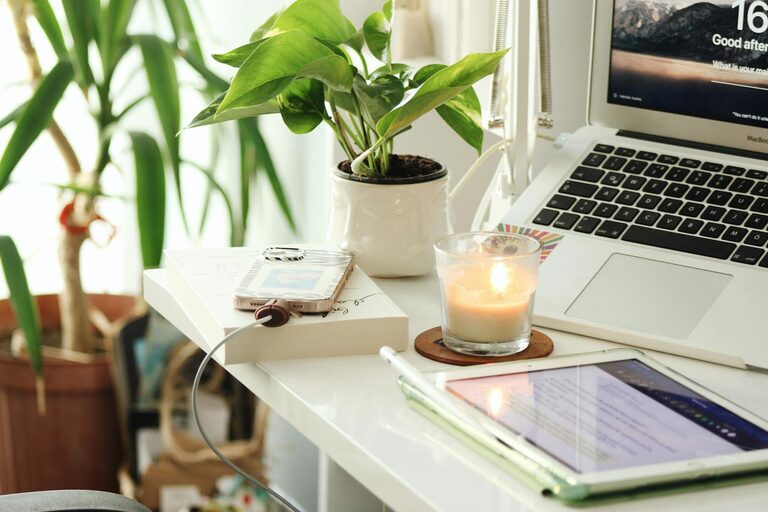
– Plants: Indoor plants not only beautify your office but can also boost air quality.
– Artwork or Photos: Choose images that inspire you or bring you joy.
– Color Choices: Soft and calming colors often create a pleasing environment, but select what feels right for you.
Use Proper Lighting
Lighting is crucial for reducing eye strain and maintaining focus.
– Task Lighting: A desk lamp with adjustable brightness helps illuminate your work area.
– Avoid Glare: Position your screen and lights to prevent reflections on your computer monitor.
– Balanced Lighting: Combine natural and artificial light sources for the best effect.
Set Boundaries Between Work and Home Life
Creating a clear separation between work time and personal time promotes balance.
– Defined Work Hours: Establish when you start and finish working each day.
– Physical Boundaries: Close the office door or use room dividers if possible, signaling the start and end of work.
– Break Areas: Take regular breaks away from your desk to recharge.
Incorporate Technology Wisely
Technology can either help or hinder your productivity depending on how you use it.
– Reliable Equipment: Invest in a dependable computer, high-speed internet, and quality peripherals.
– Noise-Canceling Headphones: Useful if your space isn’t completely quiet.
– Productivity Tools: Use apps and software to manage tasks and time efficiently.
Maintain a Clean and Inviting Environment
Regular upkeep keeps your office functional and pleasant.
– Daily Tidying: Spend a few minutes at the end of each day organizing your desk.
– Deep Cleaning: Schedule periodic cleaning for dusting, vacuuming, and sanitizing surfaces.
– Air Quality: Use a humidifier or air purifier if needed.
Final Thoughts
Creating a productive home office space requires thoughtful planning and ongoing care. By choosing the right location, investing in comfortable furniture, staying organized, personalizing your space, and setting boundaries, you can build a workspace that supports your professional goals while enhancing your well-being. Remember, the best office is one tailored to your needs and preferences. Keep experimenting and adjusting until it feels just right!